
Notion
Export your marketing budget to a Notion database that stays in sync. Each line item is a row, with the plan and actuals for every month.
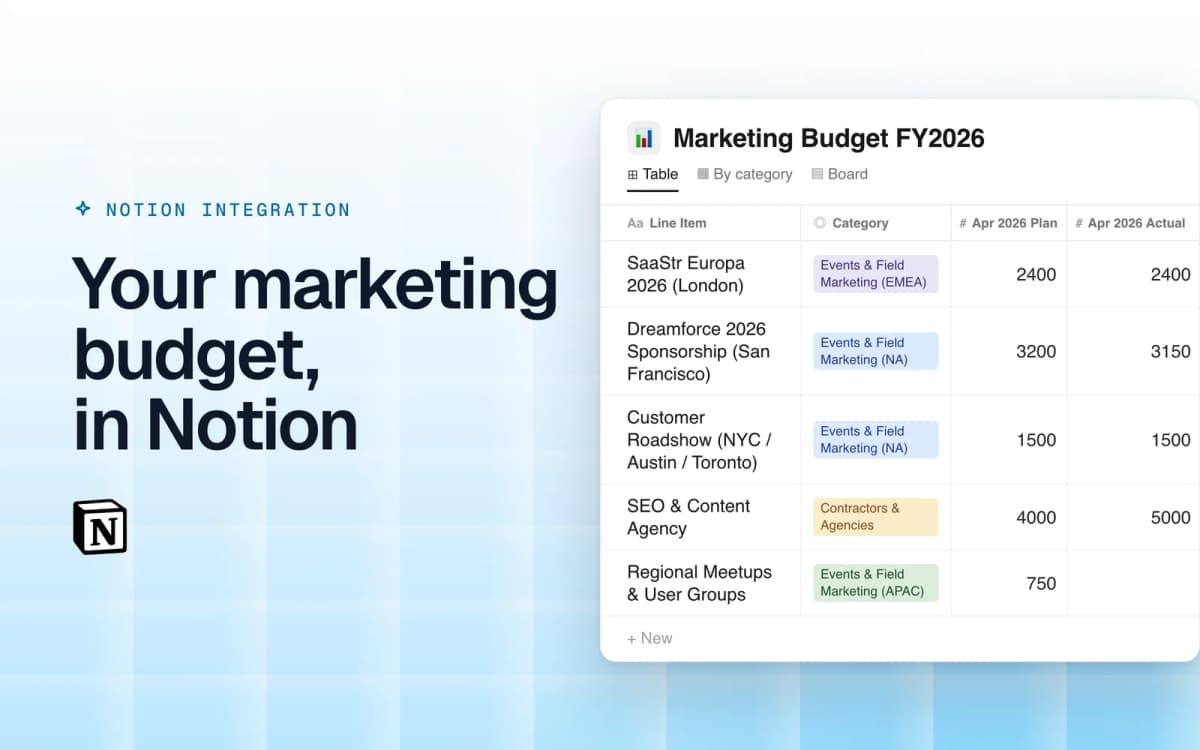
Etropo fills a Notion database with your budget and updates it every day
Overview
Connect Etropo to Notion, and each budget you choose gets its own Notion database. The database has one row per line item, with the planned amount and the actuals for each month. Etropo syncs it every day and changes only the cells that changed, so the page history in Notion stays readable.
How it works
Each connected budget version creates one Notion database. Every line item is a row. Columns hold the category, status, cost center, owner, currency and your custom properties, plus a Plan and an Actual column for each month. A connected version can hold up to 500 line items.
Etropo syncs the database every day at 7:20 AM UTC. You can also start a sync from the Integrations page. If you activate a different budget version, the same database switches to the new plan.
Your work in Notion stays. Etropo changes only the columns it created, so your comments, views, filters and your own columns and rows stay as they are. If someone edits a budget number in Notion, the next sync puts back the value from Etropo.
Configure
An organization admin clicks "Connect" on the Notion card in the Integrations tab and approves Etropo in Notion. Then click Connect Budget, select the budget and its version, and choose where the database goes. It can go in your private pages or in a page you shared with Etropo. Etropo creates and fills the database right away.