Marketing Budget Software: Pricing Comparison (2026)
What marketing budget management actually costs — at your team size, not just the starting price.
We researched the pricing pages, review scores, and implementation timelines of 10 marketing budget management tools — from purpose-built platforms to FP&A suites and spreadsheet alternatives — so you can see exactly what you'll pay at 5, 10, and 50 team members, and how it fits into your overall marketing spend.
10 Tools Compared | Last updated: March 2026
What to look for in marketing budget management software
- Budget forecasting and variance analysis — plan vs. actual tracking in real time, not just at month-end
- Marketing channel integrations — native connections to Google Ads, LinkedIn Ads, and other ad platforms to auto-import spend data
- Collaboration and approval workflows — role-based access, comments, and budget approval chains for distributed teams
- Multi-currency support — essential for teams running campaigns across regions
- Implementation speed — a tool that takes 3–6 months to deploy may cost more in delayed value than its license fee
- Self-service vs. sales-led pricing — transparent pricing lets you compare before committing to a lengthy procurement cycle
- MCP (Model Context Protocol) support — lets AI agents like Claude or ChatGPT query your budget data directly, a growing differentiator in 2026
| Tool | 5 users | 10 users | 50 users | Pricing Model | Free Plan | Monthly Plan | Self-Service | Rating |
|---|---|---|---|---|---|---|---|---|
| Etropo | $89/mo | $139/mo | $299/mo | Flat-rate tiers | 5.0 | |||
| Marmind | $1320/mo | $1980/mo | Custom | Edition-based | 4.4 | |||
| Uptempo | $375/mo | $750/mo | Custom | Per user (custom) | 3.9 | |||
| Aprimo | Custom | Custom | Custom | Custom enterprise | 4.3 | |||
| Anaplan | Custom | Custom | Custom | Custom enterprise | 4.3 | |||
| Planful | Custom | Custom | Custom | Custom quote | 4.3 | |||
| HubSpot Marketing Hub | $800/mo | $1115/mo | $3600/mo | Tiered + seats | 4.5 | |||
| Monday.com | $95/mo | $190/mo | $950/mo | Per seat | 4.7 | |||
| Smartsheet | $95/mo | $190/mo | $950/mo | Per user | 4.3 | |||
| Google Sheets | $35/mo | $70/mo | $350/mo | Per user (Google Workspace) | 4.7 |
Marketing Budget Management Tools — Detailed Breakdown
How each tool's pricing actually works, with budget context.
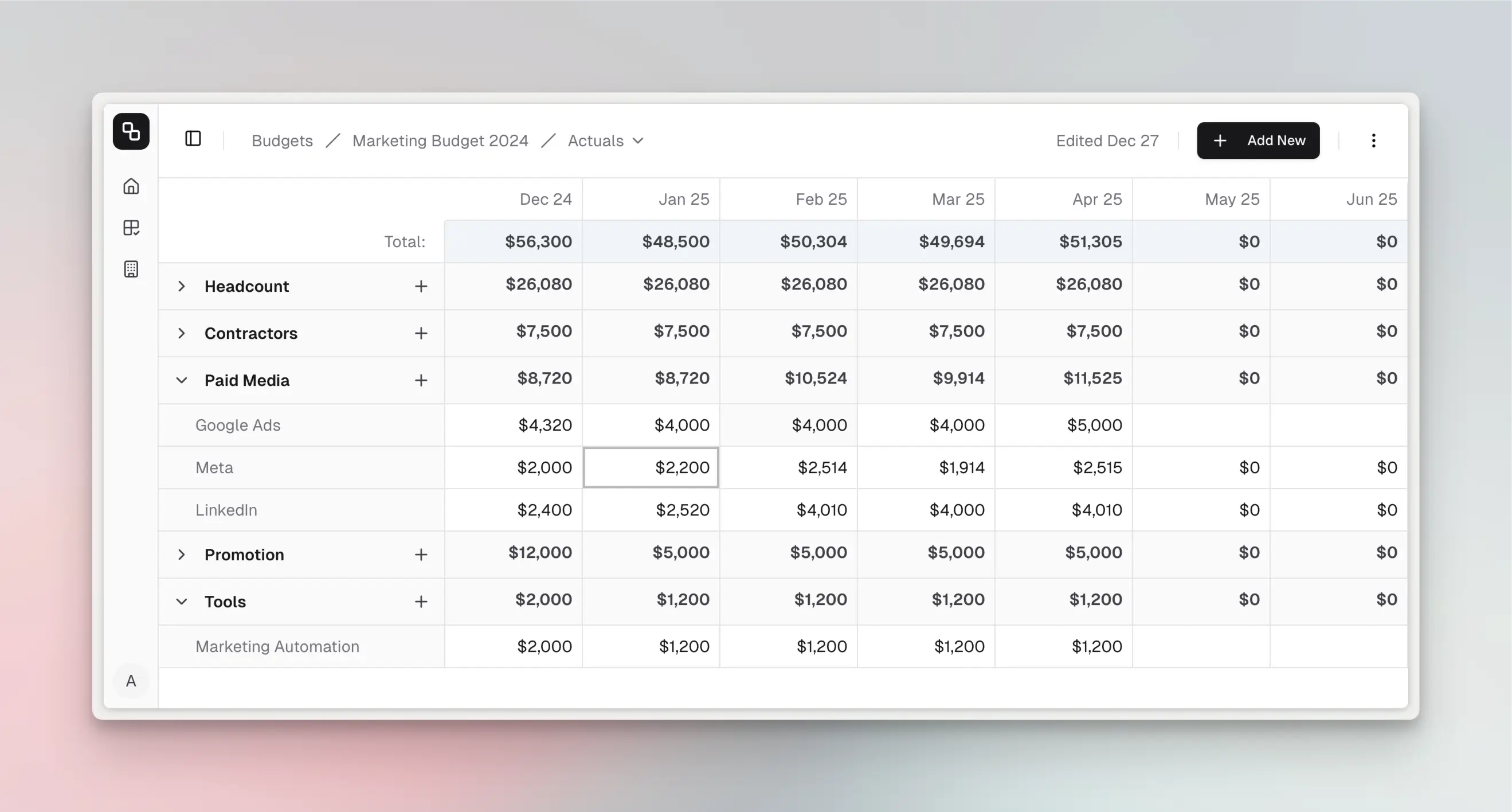
Purpose-built marketing budget management software for SMB and mid-market teams. Etropo combines budget forecasting, real-time plan vs. actual tracking, and native ad platform integrations — with self-service pricing and setup in 1–2 weeks.
Pricing Model
Price Range
$89–$299/mo
Free Plan
No — 14-day free trial
Etropo uses flat-rate tier pricing based on team size and feature access, not per-user. Essential ($89/mo) supports up to 5 members with 15 line items and 3 currencies. Pro ($139/mo) expands to 10 members with 200 line items, unlimited currencies, plus Slack, Google Ads, LinkedIn Ads, and Attio CRM integrations. Custom ($299/mo, annual only) covers unlimited members and includes dedicated RevOps consultation. 14-day free trial with no credit card required. Annual billing saves roughly 10%.
Pros
- Purpose-built for marketing budgets with real-time plan vs. actual dashboards
- Native Google Ads, LinkedIn Ads, and Slack integrations for automated spend tracking
- MCP (Model Context Protocol) support on Pro plan — connect AI agents to your budget data
- Effortless budget versioning on Pro — keep optimistic, neutral, and pessimistic plans side by side and activate one when the decision lands
Cons
- Only 3 reviews on G2 so far — limited third-party validation compared to established tools
- Essential plan limited to 15 line items and 3 currencies
- No API access or SSO on current plans
A marketing resource management platform for mid-market and enterprise teams. Marmind combines campaign planning, budget management, and performance monitoring — with 50+ marketing tool integrations and a dedicated costs module.
Pricing Model
Price Range
$1,320–$2,860/mo
Free Plan
No
Marmind uses edition-based pricing that bundles users and features. Business (€1,200/mo) includes 5 users with planning and organization modules. Professional (€1,800/mo) covers 10 users and adds monitoring and customization. Enterprise (€2,600/mo) supports 15 users with full budget & costs module, private hosting option, and 2 TB storage. Teams larger than 15 require a custom quote. All plans are annual contracts. No free trial or free version available.
Pros
- Full marketing resource management — planning, budgeting, and monitoring in one platform
- 50+ marketing tool integrations including Google Ads, LinkedIn Ads, and Facebook Ads
- Excellent customer support (rated 4.7/5 on Capterra)
Cons
- Steep learning curve — regular training needed to keep teams proficient
- No free trial or self-service signup; annual contracts required
- No MCP or AI agent support — no way to connect AI assistants to your budget data
Formed from the merger of Allocadia, BrandMaker, and Hive9, Uptempo is an enterprise marketing planning and budget management platform. It offers budget creation, automated reconciliation, and ROI tracking — used by 350+ enterprises including Autodesk, Unilever, and Deutsche Bank.
Pricing Model
Price Range
From $375/mo
Free Plan
No
Uptempo uses per-user pricing across three tiers: Plan (~$75/user/mo), Execute (~$125/user/mo), and Optimize (~$150/user/mo). These are historical Allocadia price points — actual pricing requires a custom quote. At 10 users on the Execute tier, expect roughly $1,250/mo. Implementation ranges from $5,000 (small) to $50,000+ (enterprise). Annual contracts are standard, and multiple reviewers describe pricing as "expensive compared to similar services."
Pros
- Purpose-built for enterprise marketing budgets — replaces spreadsheets with centralized budget planning
- Strong Salesforce and ERP/procurement integrations for automated reconciliation
- Real-time visibility into marketing spend vs. plan across campaigns and tactics
Cons
- Expensive — cost is a barrier for smaller organizations
- UI described as "clunky" and in need of improvement by reviewers
- No MCP or AI agent support — no way to connect AI assistants to your planning data
A large-enterprise marketing operations platform combining digital asset management, workflow automation, and budget management. Aprimo is built for organizations with complex compliance requirements and multi-region teams.
Pricing Model
Price Range
From $1,667/mo
Free Plan
No
Aprimo uses fully custom enterprise pricing based on chosen modules, user count, and integration complexity. Entry-level deployments start around $20,000/year, but typical enterprise deals range from $30,000–$200,000+/year. Contracts require a 12-month minimum. Implementation takes 3–6 months and typically involves additional professional services costs. No self-service option — you must go through sales for a quote.
Pros
- Highly configurable — can be deeply customized to match specific business processes
- Enterprise-grade audit trails, role-based access, SSO, and compliance features
- Strong workflow automation for creative development and campaign approvals
Cons
- Steep learning curve — onboarding takes 4–5+ weeks with high training requirements
- No MCP or AI agent support — no way to connect AI assistants to your marketing ops data
- UI feels dated and dense; multiple clicks required for simple actions
A heavyweight enterprise planning platform used for company-wide budgeting, forecasting, and scenario analysis. Anaplan can handle marketing budget planning but is designed for cross-functional enterprise use — not marketing-specific workflows.
Pricing Model
Price Range
From $2,500/mo
Free Plan
No
Anaplan uses application-centric pricing based on modules deployed, user count, and model complexity. Two user types exist: Model Builders (higher cost, design/maintain models) and Power Users (lower cost, interact with models). Entry-level marketing deployments start around $30,000–$50,000/year, with implementation adding $50,000–$100,000+ on top. Enterprise-wide deployments can reach $1M+/year. Annual renewal increases of 3–5% are standard. No free trial available.
Pros
- Best-in-class scenario planning and what-if analysis across departments
- Unified data management eliminates silos — single source of truth for the entire org
- MCP server available — connect AI agents to Anaplan models via Integration API v2 with 43 structured tools
Cons
- Massive overkill for teams that only need marketing budget planning
- Steep learning curve with IT-style interface — not user-friendly for average marketers
- Total Year 1 cost for a marketing team: roughly $80,000–$180,000 including implementation
An FP&A platform with a dedicated "Planful for Marketing" product (acquired from Plannuh in 2022). Combines enterprise financial planning with marketing-specific budget management, campaign alignment, and performance tracking.
Pricing Model
Price Range
From $1,250/mo
Free Plan
No
Planful uses custom, quote-based pricing. Estimated ranges: SMB at $6,000–$10,000/year, mid-market at $15,000–$25,000/year, and enterprise at $50,000+/year. Starting price is roughly $1,250/month. Implementation fees can add 50–150% of the annual software cost. The "Planful for Marketing" module (formerly Plannuh) is priced separately and also requires a custom quote. No free trial or free version available.
Pros
- Dedicated "Planful for Marketing" product connects campaigns, forecasts, and budgets in real time
- Excel-like formula system reduces the learning curve for template creation
- Strong customer support — multiple reviewers cite knowledgeable, dedicated staff
Cons
- Complex implementation — initial setup described as challenging, especially ERP data integration
- No MCP or AI agent support — no way to connect AI assistants to your financial plans
- Implementation fees (50–150% of license cost) can nearly double first-year costs
HubSpot's marketing suite includes campaign-level budget tracking on Professional and Enterprise tiers. Ad spend data auto-syncs from Google Ads, LinkedIn, and Facebook. However, this is campaign-level tracking — not a full budget planning and allocation tool.
Pricing Model
Price Range
$9–$3,600/mo
Free Plan
Basic CRM and forms — no budget tracking features
HubSpot Marketing Hub uses tiered pricing with per-seat costs. Starter ($9/seat/mo) covers basic email marketing with no budget features. Professional ($800/mo, includes 3 seats) is the first tier with campaign budget tracking — but requires a $3,000 one-time onboarding fee. Enterprise ($3,600/mo, 5 seats) adds multi-touch attribution and advanced reporting. Additional seats cost $75/mo on Enterprise. Budget tracking is limited to campaign-level spend — no org-wide budget planning or forecasting.
Pros
- Campaign budget tracking with ad spend auto-sync from Google Ads, LinkedIn, and Facebook
- Official MCP server (public beta) — connect AI agents to CRM data for contacts, deals, and pipeline
- Strong reporting and attribution for measuring marketing ROI
Cons
- Budget tracking is campaign-level only — no org-wide budget planning, allocation, or forecasting
- Professional tier ($800/mo) required for any budget features, plus $3,000 mandatory onboarding fee
- Value for money rated lowest among HubSpot sub-scores (4.2/5 on Capterra)
A popular work management platform that can be adapted for budget tracking using number columns, formula columns, and dashboard widgets. Not purpose-built for budgets, but teams already on Monday.com can add basic budget visibility without a new tool.
Pricing Model
Price Range
From $9/mo
Free Plan
Up to 2 seats, basic features only
Monday.com uses per-seat pricing with a 3-seat minimum. Basic ($9/seat/mo) offers number columns for budget tracking. Standard ($12/seat/mo) adds integrations and automations. Pro ($19/seat/mo) is required for Formula Columns — critical for budget calculations like variance analysis. At 5 seats on Pro, expect $95/mo. At 50 seats, $950/mo. Seats are sold in buckets (3, then multiples of 5). Monthly billing adds 18–33% over annual pricing.
Pros
- Official MCP server included free on all plans — connect AI agents to boards, items, and workflows
- Largest review base of any tool here (17,000+ G2 reviews) — well-tested and widely adopted
- Strong automation and approval workflow capabilities
Cons
- Not purpose-built for budget management — heavy customization needed to replicate dedicated tool features
- Formula Column locked to Pro plan ($19/seat) — critical for budget calculations
- Missing native features for CAPEX/OPEX tracking, cost ownership, and budget forecasting
A spreadsheet-like work management platform with built-in budget tracking features, approval workflows, and real-time dashboards. Familiar for Excel users but adds collaboration, automation, and cross-sheet reporting that plain spreadsheets lack.
Pricing Model
Price Range
From $9/mo
Free Plan
No — 30-day free trial
Smartsheet offers Pro ($9/user/mo, max 10 users), Business ($19/user/mo, 3-user minimum), and Enterprise (custom). Pro includes basic budget tracking but caps at 10 users. Business adds unlimited automations, resource management, and proofing. At 5 users on Business, expect $95/mo. At 50 users, $950/mo. Annual billing saves 25–35% over monthly. Enterprise pricing is negotiated for larger teams.
Pros
- Official MCP server — connect AI agents to sheets, rows, and data for natural-language interaction
- Built-in budget tracking with expense categories, cost estimation, and overrun alerts
- Large ecosystem — integrates with Power BI, Teams, Slack, and Google Workspace
Cons
- Not a complete budget management tool — still needs supplementary software for full financial analysis
- Pro plan caps at 10 users — forces growing teams to the more expensive Business tier
- Formula system is limited compared to Excel or Google Sheets
The default "budget tool" for cost-conscious teams. Google Sheets offers real-time collaboration, unlimited flexibility, and a massive template ecosystem — but requires manual data entry, offers no built-in budget workflows, and becomes unwieldy as teams scale.
Pricing Model
Price Range
$7–$22/mo
Free Plan
No — 14-day free trial
Google Sheets requires Google Workspace for business use — personal Gmail accounts lack admin controls, shared drives, and proper team management. Workspace pricing: Business Starter ($7/user/mo), Business Standard ($14/user/mo), and Business Plus ($22/user/mo). At 5 users on Starter, that's $35/mo for the full suite including Gmail, Drive, Meet, and Sheets. Google raised prices 17–22% in January 2025 when bundling Gemini AI into every plan. The hidden cost beyond licensing is team time: maintaining budget spreadsheets at scale consumes 5–10+ hours/month of manual work.
Pros
- Lowest per-user cost ($7/user/mo) — most teams already pay for Google Workspace
- Maximum flexibility — can model any budget structure with formulas and templates
- Multiple community MCP servers available — connect AI agents to read/write spreadsheet data
Cons
- No native ad platform integrations — all spend data must be entered manually
- No built-in budget workflows, approval chains, or automated overspend alerts
- Becomes unwieldy at scale — performance degrades and accuracy maintenance becomes a full-time job
Marketing Budget Management Pricing FAQ
Common questions about marketing budget management costs, budgeting, and how to get the most value from your tools.
Related Budget Templates
Use these templates to plan your full marketing budget with the right tool allocations.
Know the costs?
Now plan your actual budget.
Build a complete marketing budget with marketing budget management tools and every other channel - in one place.